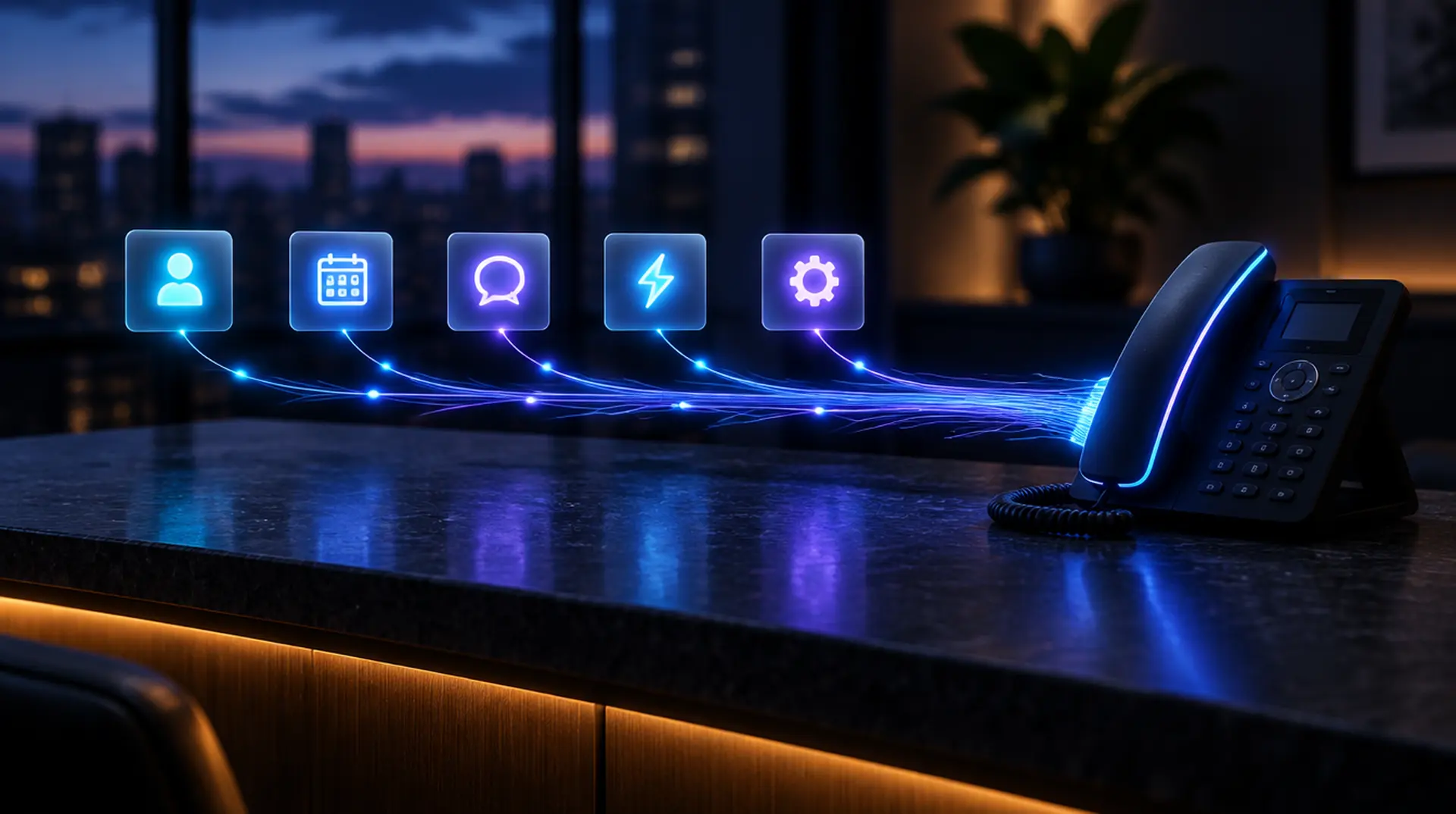



A desk phone sending threads of light into five glowing tiles for contacts, calendar, messages, automation and settings, representing Talos Connect sending records to other apps
Feature

Every call and lead, in the CRM you already use.

Talos Connect sends new contacts, calls with their AI summary, booked appointments and new leads to your CRM, team chat or automation tool. Our team sets up the connection for you.

HubSpot, Salesforce and six more CRMsSlack alertsZapier, Make and n8nSet up by the Talos team
What does the Talos Connect CRM integration do?

The Talos Connect CRM integration sends records from Talos Connect to the CRM, team chat or automation tool a business already uses, automatically and one way. New and updated contacts are matched by email and then phone so nobody is duplicated. Calls arrive with their direction, length, outcome and AI summary, and booked appointments, new leads and missed-call alerts follow. The Talos team sets up and monitors each connection.

What lands where

Each event, in each app

Connect sends records one way, a few minutes after they happen. This is what each one becomes in the other app.

AppNew and updated contactsCalls with the AI summaryMissed callsBooked appointmentsNew leads
HubSpotContactCallCall, no answerMeetingNote (+ deal)
SalesforceContact or LeadCall taskCall task, missedEventTask
GoHighLevelContactNoteNoteNote or appointmentNote (+ opportunity)
PipedrivePersonCall activityCall activityMeeting activityLead or deal
Zoho CRMContact or LeadCallCall, missedEventNote
CloseContact on a leadCall activityCall, no answerNoteNote (+ opportunity)
monday.comItemUpdateUpdateUpdateUpdate (+ item)
AirtableRecordActivity rowActivity rowActivity rowActivity row
Slack-Message (optional)MessageMessageMessage
ZapierEventEventEventEventEvent
MakeEventEventEventEventEvent
n8nEventEventEventEventEvent
What gets sent

One call, written up in your CRM.

Records travel one way, from Talos Connect to the other app. Nothing is imported from your CRM, so your team works the phones in Talos Connect and the CRM receives the history.

  • Each record is sent once per connection, so nothing is logged twice.
  • Automatic retries if the other app is down.
  • Daily health checks, with a plain-English fix for our team if a key expires or a field changes.
  • Keys stored encrypted and never shown again after setup.
AI
Sent to HubSpot
3 minutes after hang-up
contact matched by email -> Marcus Lee
call sent: inbound, 4 min 08 sec, outcome booked
AI summary: Marcus asked for an AC tune-up and booked Thursday at 2:30 PM. Prefers texts over calls.
appointment sent: Thu 2:30 PM, AC tune-up
App by app

What each connection sends and needs

Our team sets up every connection with you in the app's own settings, tests it and sends a test record before it goes live.

HubSpot

Contacts, calls, meetings and notes on the HubSpot contact record.

CRM

What Talos Connect sends

New and updated contacts
Contact, matched by email, then phone
Calls with the AI summary
Call activity on the contact: direction, length, outcome and summary
Missed calls
Call activity marked No answer
Booked appointments
Meeting on the contact
New leads
Note on the contact, plus a deal in the pipeline and stage you choose (optional)

What you need

  • A HubSpot private app with contact read and write access (and deal access if leads should open deals)
  • A HubSpot super admin to create it

Healthcare

HubSpot signs a BAA only on Enterprise accounts that turn on Sensitive Data. A healthcare practice needs that in place before the connection is turned on.

Salesforce

Contacts or leads, call tasks and events in Salesforce.

CRM

What Talos Connect sends

New and updated contacts
Contact or Lead, your choice; an existing contact is used first
Calls with the AI summary
Completed task with the Call subtype, call type, duration and summary
Missed calls
Call task marked Missed call
Booked appointments
Event on the contact or lead
New leads
Completed task with the lead details

What you need

  • A Salesforce edition with API access
  • An External Client App using the client credentials flow, with a run-as user who can create contacts, leads, tasks and events

Healthcare

Salesforce signs a BAA for its listed HIPAA covered services, including Sales Cloud and Service Cloud. A healthcare practice needs that BAA signed first.

GoHighLevel

Contacts, notes, appointments and opportunities in a HighLevel sub-account.

CRM

What Talos Connect sends

New and updated contacts
Contact in the sub-account, using HighLevel's own duplicate rules
Calls with the AI summary
Note on the contact with the AI summary
Missed calls
Note on the contact
Booked appointments
Note, or an appointment on the calendar you choose, sent without HighLevel's own notifications
New leads
Note, plus an opportunity in the pipeline stage you choose (optional)

What you need

  • A Private Integration token for the sub-account and its Location ID
  • Calendar and opportunity permissions only if those options are used

Healthcare

HighLevel signs a BAA only with its paid HIPAA add-on, switched on for the sub-account.

Pipedrive

People, call and meeting activities, leads and deals in Pipedrive.

CRM

What Talos Connect sends

New and updated contacts
Person; new emails and phone numbers are added and nothing is removed
Calls with the AI summary
Completed call activity with duration and a note
Missed calls
Completed call activity marked missed
Booked appointments
Meeting activity at the booked time
New leads
Lead in the Leads Inbox, or a deal in the stage you choose, with a note

What you need

  • The API token of a regular Pipedrive user who can add people, leads, deals and activities
  • The company domain: the part of the address before .pipedrive.com

Healthcare

Pipedrive does not publish a BAA offer, so patient details are not sent to Pipedrive unless the practice has a BAA from Pipedrive in writing.

Zoho CRM

Contacts or leads, call records, events and notes in Zoho CRM.

CRM

What Talos Connect sends

New and updated contacts
Contact or Lead, your choice
Calls with the AI summary
Call record, inbound or outbound, with duration and summary
Missed calls
Call record marked Missed
Booked appointments
Event, without Zoho sending its own invitation
New leads
Note on the contact or lead

What you need

  • A Zoho API Self Client: client ID, client secret and a one-time grant code
  • The Zoho data center the account uses: US, EU, India, Australia, Japan, Canada, UK, Saudi Arabia or China

Healthcare

Zoho provides a BAA for Zoho CRM on request. A healthcare practice needs it signed first.

Close

Contacts, call activities, notes and opportunities in Close.

CRM

What Talos Connect sends

New and updated contacts
Contact under a Close lead, or a new lead when nothing matches
Calls with the AI summary
Call activity, completed
Missed calls
Call activity marked no answer
Booked appointments
Note on the lead (the Close API cannot create meetings)
New leads
Note, plus an opportunity in the status you choose (optional)

What you need

  • An API key created by the Close user who should own the records

Healthcare

Close's security page does not mention HIPAA or a BAA. Check with Close in writing before sending a practice's patient details.

monday.com

Items and updates on the monday sales CRM boards you choose.

CRM

What Talos Connect sends

New and updated contacts
Item on the board you choose, matched by its email or phone column
Calls with the AI summary
Update on the person's item, plus an item on an Activities board (optional)
Missed calls
Update on the person's item, plus an item on an Activities board (optional)
Booked appointments
Update on the person's item, plus an item on an Activities board (optional)
New leads
Update, plus an item on a Leads board (optional)

What you need

  • The API token of a monday.com member who can edit the boards
  • The board for people: in monday sales CRM, Contacts or Leads

Healthcare

monday.com signs a BAA only on the Enterprise plan with its HIPAA feature turned on.

Airtable

Records and activity rows in the Airtable base you choose.

CRM

What Talos Connect sends

New and updated contacts
Record in the table you choose; name, email and phone fields are matched automatically
Calls with the AI summary
Row in an Activities table linked to the person, or a dated entry in a Notes field
Missed calls
Activity row or note
Booked appointments
Activity row or note
New leads
Activity row or note

What you need

  • A personal access token limited to that base, with record read and write and schema read
  • Airtable's Free plan allows 1,000 API calls a month, enough only for light call volume

Healthcare

Airtable offers a BAA only on Enterprise Scale.

Slack

New leads, bookings and missed calls posted in the channel your team watches.

Team chat

What Talos Connect sends

Calls with the AI summary
Message with the call summary (optional)
Missed calls
Message in the channel
Booked appointments
Message in the channel
New leads
Message in the channel

What you need

  • A Slack app with an incoming webhook for one channel
  • A workspace admin, if the workspace requires apps to be approved

Healthcare

Healthcare practices get alert-only messages, with no names or numbers, unless they have a Slack BAA (Enterprise plans).

Zapier

Every Connect event starts a Zap, then on to thousands of other apps.

Automation

What Talos Connect sends

New and updated contacts
A signed JSON event that starts your Zap
Calls with the AI summary
A signed JSON event with the call and its AI summary
Missed calls
A signed JSON event
Booked appointments
A signed JSON event with the booking
New leads
A signed JSON event with the lead details

What you need

  • A paid Zapier plan: the trigger is Webhooks by Zapier, a premium app
  • A Zap that starts with Catch Hook

Healthcare

Zapier does not sign BAAs on standard plans, so healthcare practices get alert-only events.

Make

Every Connect event starts a Make scenario (formerly Integromat).

Automation

What Talos Connect sends

New and updated contacts
A signed JSON event that starts your scenario
Calls with the AI summary
A signed JSON event with the call and its AI summary
Missed calls
A signed JSON event
Booked appointments
A signed JSON event with the booking
New leads
A signed JSON event with the lead details

What you need

  • A Make scenario that starts with a Custom webhook

Healthcare

Make does not sign BAAs on standard plans, so healthcare practices get alert-only events.

n8n

Every Connect event starts an n8n workflow, on n8n Cloud or your own server.

Automation

What Talos Connect sends

New and updated contacts
A signed JSON event that starts your workflow
Calls with the AI summary
A signed JSON event with the call and its AI summary
Missed calls
A signed JSON event
Booked appointments
A signed JSON event with the booking
New leads
A signed JSON event with the lead details

What you need

  • An active n8n workflow that starts with a Webhook node (the Production URL)
  • n8n Cloud or a self-hosted n8n reachable over HTTPS

Healthcare

Self-hosted n8n keeps data on the practice's own server. n8n Cloud does not sign BAAs on standard plans, so practices on n8n Cloud get alert-only events.

HubSpot, Salesforce, GoHighLevel, Pipedrive, Zoho, Close, monday.com, Airtable, Slack, Zapier, Make and n8n are trademarks of their owners. Their names and logos are used only to identify the apps Talos Connect connects to; Talos Connect is not affiliated with or endorsed by them.

How it works

From your app to running on its own

Tell us what you use

Name your CRM, chat or automation tool and what should be sent: contacts, calls, appointments, leads or missed-call alerts.

We connect it

Our team connects your account in that app, tests the connection and sends a test record to confirm it arrives.

Choose the detail level

Full detail with AI summaries, minimal detail with names, numbers and times, or alert-only messages for chat and automation apps.

It runs on its own

Records are sent automatically. Every connection is re-tested daily, and our team fixes anything that needs attention.

Questions, answered

Frequently asked questions

Which apps does Talos Connect connect to?

CRMs: HubSpot, Salesforce, GoHighLevel, Pipedrive, Zoho CRM, Close, monday.com (sales CRM boards) and Airtable. Team chat: Slack. Automation: Zapier, Make and n8n, which can forward records to thousands of other apps. If your tool is not on the list, ask us whether one of the automation apps can reach it.

Does it import contacts from my CRM?

No. Connections are one way: Talos Connect sends contacts, calls, appointments, leads and alerts to the other app and does not read or import records from it. Existing contacts can be brought into Talos Connect separately from a CSV export.

Do I need a paid plan in the other app?

It depends on the app, and each app's section above lists exactly what is needed. Two to know before you start: Zapier's webhook trigger needs a paid Zapier plan, and Salesforce needs an edition with API access. Airtable's Free plan allows 1,000 API calls a month, which suits only light call volume.

Can I set it up myself?

No. Each connection is set up for you by the Talos team. Tell us which app you use and what should be sent, and we connect it, test it and turn it on. If something changes later, such as an expired key, the daily health check flags it and we fix it.

Does it work with the AI receptionist?

Yes. Calls the AI receptionist answers are sent like any other call, with the AI summary, and so are the appointments it books and the leads it captures. Calls are sent a few minutes after they end so the summary is ready.

How does it work for medical, dental and veterinary practices?

The default detail level for healthcare clients is minimal: names, numbers and times, without call summaries or notes. Patient details go only to a vendor the practice has a signed BAA with, and Slack, Zapier, Make and n8n receive alert-only messages with no names or numbers unless the practice has a BAA with that vendor.

Does it connect to Google Calendar, Outlook or practice-management software?

Not today. Appointments are booked on the Talos Connect calendar and sent to your CRM as a record on the contact. There is no connection to Google Calendar, Outlook or Calendly, and EHR and practice-management integrations are on the roadmap.

Contact us

See it answer your phones.

Tell us a little about your business. We will set up a live demo with your own call flow, hours and services, and answer every question you have. No pressure and no obligation.

  • A reply within one business day from a person, not a bot.
  • A demo built around your industry, using your real scenarios.
  • Keep your existing numbers. We handle the porting.

Prefer to talk? Call (346) 330-3390.

We use your details only to reply to this request. See our privacy policy.

Book a demoAI receptionist